

Table of Contents
In this article we will share everything you need to know about using Grab in Malaysia in 2025. Grab is Asia’s equivalent of Uber. It is the main taxi app and it is the best way to make short convenient and affordable journeys in Malaysia. But there are some important things you need to know before you get started. We will take you through everything step by step – with top tips, advice and important information.
In this article we have included helpful info on how to set up the app, how to use the app and some mistakes to avoid. We have based this article on our own personal experience using Grab in Malaysia. We’ve made the mistakes so you don’t have to!
We have lived in Malaysia and traveled around the country extensively. And we are honestly very grateful for Grab. It has changed the way we travel – and we really hope that it will help you enjoy a smoother and more enjoyable trip to Malaysia. So if you’re fed up with trying to flag down taxis in the pouring rain or negotiating fares with drivers, keep reading.
Planning a trip to Malaysia? Don’t miss these Amazing Things to do in Malaysia
We do have plenty of helpful articles about Malaysia on our site so keep browsing 🙂
Why use Grab in Malaysia?

Grab is the most efficient, convenient, and cost-effective way to get a taxi in Malaysia. From the vibrant metropolis of Kuala Lumpur to the charming alleyways of Georgetown, Grab has revolutionized the way locals and travelers navigate the bustling streets. Grab puts the power back in your hands, allowing you to track your driver’s location in real-time, select your preferred vehicle type, and even make special requests—all with just a few taps on your smartphone.
The increasing popularity of taxi apps means that it is much harder to hail a taxi at the side of the road. Using Grab means that you can order a taxi anywhere, anytime, and you will know the price straight away on the app. So, there is no need to barter with taxi drivers, and no concerns about being ripped off by your driver. Grab also offers additional safety and transparency. The ability to review drivers and see driver reviews means that the taxi service is safer and there is more accountability.
The Grab taxi app has a lot of very helpful built-in features, enabling you to track your driver’s location when they are on the way and also track your location throughout the journey. You can make special requests such as a silent service, and you can order different types of taxis. In most situations, it is much faster to get a taxi using Grab than it is to find a taxi or hail one at the roadside. Grab offers convenience, safety, and transparency.
How much do Grab taxis cost in Malaysia?

One of the big advantages of using Grab is the price transparency. You are able to see the cost of your journey before you order the taxi, and drivers will respect and stick to the cost that is listed on the app. There are no hidden fees or extra charges. There are a few things that you may need to pay extra for. For example, if you keep your driver waiting too long when they arrive. Also, you need to pay toll fees for any toll roads.
- Most short Grab taxi journeys cost around RM5 – RM10 for a few kilometers.
- Medium-length Grab taxi journeys generally cost around RM10 – RM25 (5 – 20km).
- Longer taxi journeys may cost around RM40 – RM50 (30 – 40km).
Find out more about Grab pricing and policies on the official Grab Malaysia website.
Step-by-step guide to ordering a Grab taxi in Malaysia
1. Get a local SIM card with mobile data.

Before you set up your Grab taxi app, you will need a local SIM card with mobile data. In Malaysia, you can get prepaid SIM cards or postpaid SIM cards. Most tourists and short-term visitors to Malaysia are recommended to get a prepaid SIM card package. In our experience, the best SIM provider in Malaysia is Digi (Celcom). This SIM card gives you the best data speed and the widest coverage compared to its competitors. You can find prepaid SIM cards offering around 50GB of 4G data for around RM50. You will need to go to a Digi (Celcom) store to buy your prepaid SIM card. These are often situated in shopping malls.
2. Download the Grab taxi app and register an account.

Before you use the Grab taxi app in Malaysia, you will need to download the app for free from your app store. Once you have downloaded the app, you will need to register for an account. You can use your local phone number and email address to register your account. The account registration is relatively quick and simple. Once you have set up your account, you can order taxis straight away. When you first set up the app, it will also ask for permission to use your phone location, microphone, media, and images. The app needs to use your phone location in order to set your pickup location and track your journeys. It will need to use your microphone in order to make and receive calls so that you can communicate with your driver if needed.
3. Open the app and select a car.

Once you have downloaded the app, make sure that you are logged in. On the home screen, you will see several icons. If you want to order a taxi, you will need to click the car icon. Alternatively, on the screen, you can also use the Grab app to order takeaway food. This is a surprisingly fast and convenient way to order takeaway food in Malaysia.
4. Enter your destination.

The next step is to enter your destination. There are two ways of doing this. You can either type the name of your destination in the box that says “where to.” As you type the destination, you should get a drop-down menu of options. When you have typed enough information, you should see the correct destination in the list of drop-down options.


Some destinations may not be available in the database, so you may not see your desired destination appearing in the drop-down menu. If this happens, you can also use the map function to enter your destination (this, of course, relies on you knowing where you want to go on the map). To enter a map destination, click on the map icon at the top right of the screen and scroll around until the map pin is above your desired destination and then press “confirm destination.” Alternatively, you can choose to hire a taxi driver by the hour. This option is likely to be more expensive; however, it is useful if you need to do a return journey with the same taxi driver.
5. Choose your pickup location.

On the next screen, you will be prompted to choose a pickup location. At this stage, your phone’s location will automatically determine the pickup location. It will show you your location on a map and ask you if you want to choose this location. In most cases, it is simplest to just use this as your pickup location. This is generally an accurate and reliable way for your driver to find you.
However, in some cases, you may want to choose a slightly different pickup location. For example, if you are waiting at a large shopping mall in the city, your specific location may not be ideal for your taxi driver to pick you up. So, you may need to drag the map to select a slightly different location that is more convenient for a taxi pickup (just drag the map so the pin is above the exact destination that you want to be picked up). If you are not sure how to do this, we recommend walking to a good pickup location. Your phone should track you moving to this better location. Once you are at the better pickup point, you can just select “choose this pickup.”
6. Select the type of taxi service that you want.

Don’t worry, you haven’t ordered your taxi yet. On the next screen, you should be offered a list of different Grab taxi services, and it will also tell you the price of each taxi. They include a range of different options. For example, a Grab Car Plus is likely to be slightly more expensive than a just Grab service. A Grab taxi is a metered taxi. In general, we found it helpful to just use the cheapest just Grab taxis. We found these to be fast, affordable, and efficient. The exciting thing about using Grab in Malaysia is that you never know what car you are going to get. Many locals register themselves and their vehicles on the taxi app so that they can make some money. It is generally unlikely that you will be picked up by a marked taxi.
7. Select your payment method.

On the next screen, you will have an opportunity to select your preferred payment method. We recommend selecting “pay with cash.” This means that you can just pay your driver in cash at the end of the journey. Drivers reliably charge the correct price that is listed on the app (the risk of getting a negative review stops drivers from trying to overcharge). If you are selecting to pay with cash, it is worth making sure that you do have the correct change (Grab taxi drivers may not have change).
8. Wait until you are connected with a driver.

Once you have selected your payment method, the app will try to connect you with drivers nearby. This puts out a request to drivers indicating that you wish to do a particular journey. It is important to recognize that drivers may not wish to do some journeys. So, you may see some drivers marked nearby on the map, but they may not accept your journey. So, you may need to wait a while. This step can take a few minutes, and if it doesn’t work, you can retry. Particularly at busy times of the day (for example, rush hour), you may need to be patient and persistent.
9. Wait for your driver.
Once a driver has accepted your journey, the name will come up on the screen. You will also be able to see information about the vehicle, such as the make and color of the vehicle and the vehicle’s registration plate (this is very helpful as it allows you to watch out for your driver). What’s more, you can also track your driver on the app and watch them approach. You should be given a rough arrival time.
How long does it normally take for a Grab to arrive?
Some areas of Malaysia are prone to very heavy and slow traffic. This can delay cars, buses and taxis. Choose your travel times carefully!

It is very hard to predict how long it will take for a Grab to arrive in Malaysia. It depends on the area and on the demand for taxis. In our experience, we were generally able to find a taxi within a few minutes, and taxis would generally arrive within 10 or 15 minutes, unless we were trying to get a taxi at a particularly busy time of the day or from a particularly difficult location.
We do not recommend using the Grab taxi service during rush hour at the start and end of the day (unless you have to). We also don’t recommend relying on Grab if you are planning to travel from a more remote or rural destination. It is unlikely that you will find a driver in the area. So, if you’re planning to visit somewhere more remote, we recommend arranging a round trip with a driver or considering a different form of transport.
What happens if you can’t find your Grab driver?
In some cases, you may struggle to find your Grab driver, or they may struggle to find you. If you’re struggling to find your Grab driver, you are not responsible for their waiting time (although in our experience, some drivers frustratingly clicked that they had arrived when they were not actually at the arrival point, and we have not seen them). If you’re struggling to find your driver, we recommend looking at their location on the map. You can either send them a text message or you can phone them through the Grab app and speak to them. When you are matched up with a driver, you will be told the color and make of the vehicle, and it will also tell you the number plate. This can be very useful when you are trying to spot your driver, especially during heavy traffic.
Can you cancel a Grab taxi in Malaysia?

Yes, it is possible to cancel a Grab taxi in Malaysia. Once you have selected to book your taxi, you will be matched up with a driver. You can cancel for free within 5 minutes of being allocated a driver. Once you have selected to cancel the journey, it will ask why you are canceling. Don’t worry about this step. You can cancel for any of the listed reasons. The app is just taking the information for feedback.


There are several reasons that you may wish to cancel a Grab journey. For example, you may have a last-minute change of plans. It may be that the pickup time is too slow (the app will indicate your driver’s destination and will give you an approximate pickup time. In some cases, it can take over 20 minutes for your driver to get to you). So, if you do need to cancel your Grab, just make sure you do it quickly after you have booked.
Is it possible to book a return journey with Grab?

It is not possible to book a return journey with Grab. You can only book a one-way journey by selecting your pickup location and your destination. However, they have introduced a service where you can book a driver by the hour. In our opinion, this is not a very cost-effective way of taking a taxi. However, it may be a useful service if you’re planning to visit somewhere and you need a return journey with the same driver.
Are Grab taxis reliable in Malaysia?
Yes, we have found Grab to be a very reliable taxi service in Malaysia. In general, it is fast and efficient to order a taxi, and the prices are very reasonable. This means that you do not need to barter with a driver or worry about being overcharged as a foreigner. In our experience, drivers are pretty quick to respond and generally accept journeys (although you may have difficulty with longer journeys or if you are trying to book at a particularly busy time of the day). It can also be difficult to find a taxi if it has just started to rain. In general, drivers arrive quickly, and in our experience, they always stick to the listed price on the app. We have never been overcharged by a Grab driver in Malaysia.
Are there any alternative taxi apps in Malaysia?
At present, there are not any alternative taxi apps to Grab in Malaysia. So, if you are hoping to use a taxi app in Malaysia, you will need to go with Grab. You may be wondering whether you can use Uber in Malaysia? Unfortunately not. Uber is not available in Malaysia or any Southeast Asian countries at present. It is still possible to find traditional taxis in Malaysia, especially if you are traveling in cities like Kuala Lumpur or Georgetown. You can normally find taxis waiting at busy and popular destinations such as shopping malls and popular attractions. If you do get a traditional taxi in Malaysia, you will need to either agree on the price or request that your driver uses the taxi meter. In our experience, it is a lot cheaper using Grab compared to negotiating with a local driver.
How does Grab compare to other transport options in Malaysia?

In general, if you are doing relatively short journeys around a particular town or area, then Grab will probably be your best option. Some areas of Malaysia do have a very good public transport system. For example, Georgetown in Penang, Kuala Lumpur, and Malacca all have a relatively well-developed public transport system. Most popular destinations are connected by buses, which are regular, cheap, and reliable. So, if you’re traveling on a low budget, you may want to look into public transport options. Car rental in Malaysia is relatively expensive, and it is likely to cost more than getting around by Grab.
However, car rental does have some advantages. For example, you do not need to wait for a Grab taxi driver, which can be particularly frustrating during busy times or when it has started to rain. If you’re planning to travel around Malaysia during the rainy season, you may want to consider a car rental to avoid frustrating wait times. If you’re planning to do longer journeys around Malaysia, then Grab will probably be too expensive. So, you will either need to consider long-distance buses, domestic flights, or car rental. Long-distance buses are very cheap in Malaysia. (For a more comfortable bus service, select a VIP 3 bus service). Flights are surprisingly cheap and fast.
Do you need to pay more for luggage or extra passengers?
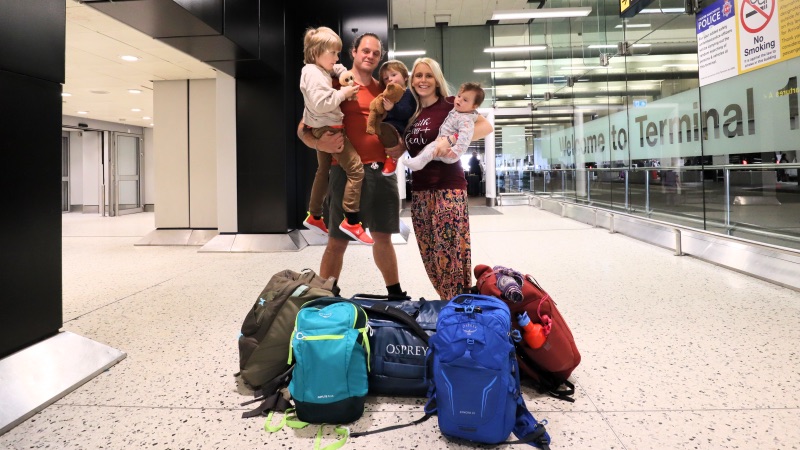
No, you do not need to pay any extra if you have luggage or if you are traveling with additional passengers. When you order a Grab taxi, you should be able to use at least three seats in the back of the taxi. In many cases, you can actually use four seats because drivers will also let you ride in the front of the taxi depending on the car. You should also be able to take baggage in the back of the car. However, in some cases, there may not be a lot of space for bags. If you have a lot of baggage, you can select GrabCar 6 Seater.
Is Grab widely used throughout Malaysia?
Yes, you can use the Grab taxi app widely throughout Malaysia, especially in the main towns and cities. You may struggle to use Grab if you are visiting a more rural village destination. Grab is used both in Peninsula Malaysia and also in East Malaysia (Sabah and Sarawak).
Can you pre-book a Grab taxi in Malaysia?
Yes, it is possible to pre-book a Grab taxi in Malaysia. In fact, this is a very useful service if you are relying on Grab for an important journey, such as trying to get to the airport on time for an early morning flight. In order to pre-book a Grab taxi, you will need to select the GrabCar Plus Flexi option.
